
Open Link With... - Google Play
You'll be able to see results in few seconds.
Publisher Description
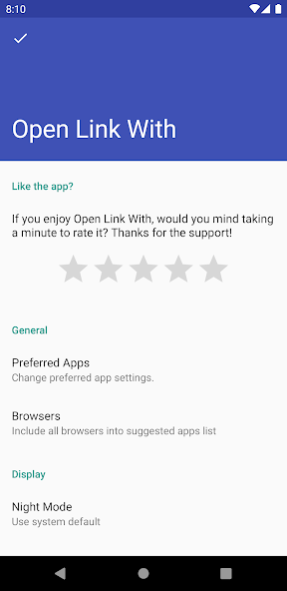
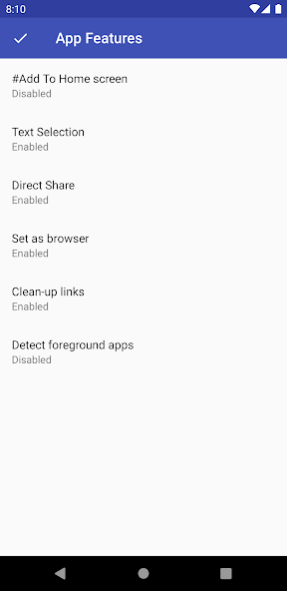
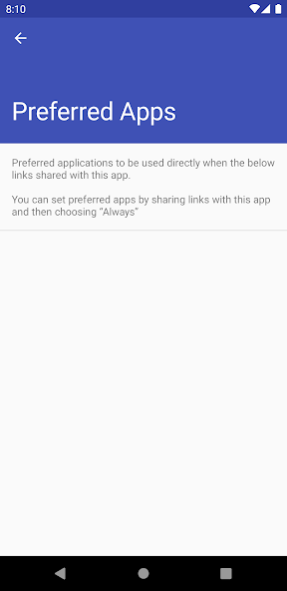
Share the current web page when you are in a browser to open with another app!
Did it ever happen to you? You click a link (let's say a video link) and the system does not ask you anything and opens the link in the browser. And you are stuck in a web page instead of watching the video in the native app.
There are 2 options for you. You either watch the video in the web or you remember the name of the video and search it in the app. Well, not anymore.
With OpenLinkWith, you can share any webpage with it and it will ask you which applications to open the link with.
Although the original intent of the application is to direct web pages to apps, it can even be used to switch between apps. Imagine you have 2 Twitter clients in your phone. You can open a tweet in the official Twitter application and then switch to an another app with the same tweet opened. Cool, hah?
Although the problem discovered above is not huge, it is missing in the Android ecosystem. And I couldn't find anything doing this. So I wrote one. :)
If you find yourself sharing the same url over and over, you can use "Add to Home Screen" feature to add your favorite link from your favorite app to your home screen.
I hope you find this useful. Please help me by trying it and sending feedback to me.
Note:
The app uses internet to:
- Send crash reports
- Resolve redirects of shortened links
- Find the title of the link while using "Add to Home Screen"
The application is open source and the source can be found here:
https://github.com/tasomaniac/OpenLinkWith/
Icon is from:
https://www.iconfinder.com/icons/216215/flow_switch_icon#size=512
About Open Link With...
The company that develops Open Link With... is Said Tahsin Dane. The latest version released by its developer is 1.0 .
To install Open Link With... on your Android device, just click the green Continue To App button above to start the installation process. The app is listed on our website since 2020-11-27 and was downloaded 0 times. We have already checked if the download link is safe, however for your own protection we recommend that you scan the downloaded app with your antivirus. Your antivirus may detect the Open Link With... as malware as malware if the download link to com.tasomaniac.openwith is broken.
How to install Open Link With... on your Android device:
- Click on the Continue To App button on our website. This will redirect you to Google Play.
- Once the Open Link With... is shown in the Google Play listing of your Android device, you can start its download and installation. Tap on the Install button located below the search bar and to the right of the app icon.
- A pop-up window with the permissions required by Open Link With... will be shown. Click on Accept to continue the process.
- Open Link With... will be downloaded onto your device, displaying a progress. Once the download completes, the installation will start and you'll get a notification after the installation is finished.
Program Details
System requirements
Download information
Pricing
Version History
version
posted on 2020-11-27
Help translate the app into your language:
https://crowdin.com/project/open-link-with
v2.8
Internal improvements and various fixes
Update translations
v2.6
Foreground app detection is now disabled by default.
It can be enabled in Advanced settings.
Tip:
Did you know that you can set OLW as a browser. Go to Advanced settings to enable.
version
posted on 2019-04-03
Help translate the app into your language:
https://crowdin.com/project/open-link-with
v2.7
Internal improvements and various fixes
v2.6
Foreground app detection is now disabled by default.
It can be enabled in Advanced settings.
Tip:
Did you know that you can set OLW as a browser. Go to Advanced settings to enable.
version 1.3
posted on 2016-09-26
Help translate the app into your language:,https://crowdin.com/project/open-link-with,v1.3,- Fix Amazon links (again),- Bug fixes,- Polish and Simplified Chinese support,v1.2,- New Add To Home screen feature.,- Facebook support,- Small bug fixes.,- 2 new languages (Arabic and German)
Disclaimer
Official Google Play Link
We do not host Open Link With... on our servers. We did not scan it for viruses, adware, spyware or other type of malware. This app is hosted by Google and passed their terms and conditions to be listed there. We recommend caution when installing it.
The Google Play link for Open Link With... is provided to you by apps112.com without any warranties, representations or guarantees of any kind, so access it at your own risk.
If you have questions regarding this particular app contact the publisher directly. For questions about the functionalities of apps112.com contact us.
